Step 1
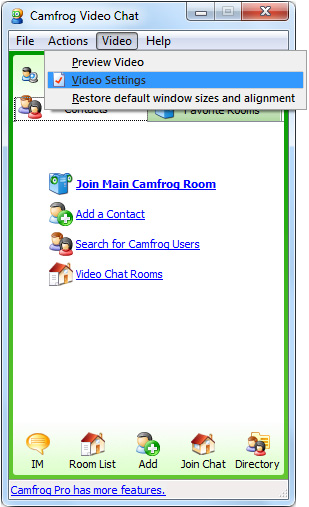
Click on the Video menu and select Video Settings.
Step 2
Select Fake Webcam Source from the dropdown list and click OK.

Step 3
Camfrog is now configured to use Fake Webcam as your video source.

Set up Fake Webcam in Camfrog in just a few clicks.
Click on the Video menu and select Video Settings.
Select Fake Webcam Source from the dropdown list and click OK.
Camfrog is now configured to use Fake Webcam as your video source.